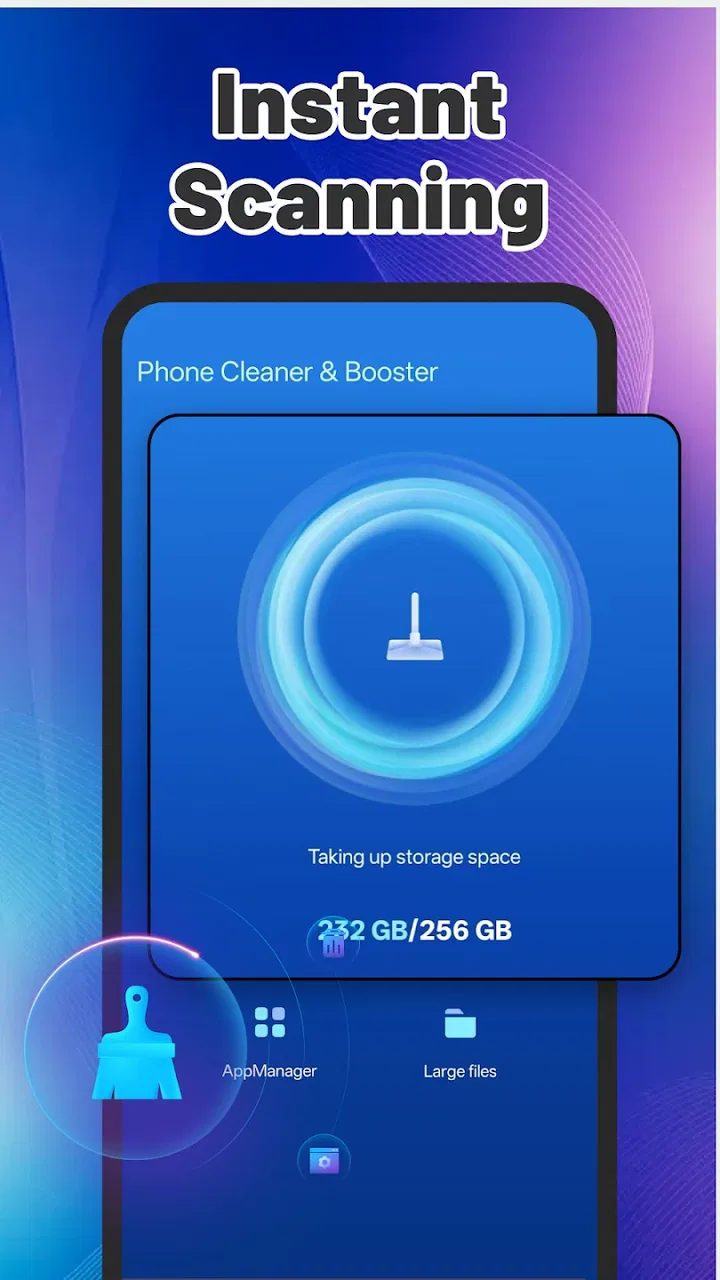
Phone Cleaner & Booster
- 3.9
- Rating
- 100.00K
- Installs
- Free
- Price

 Analysis by App-foxy
Phone Cleaner & Booster is the kind of small utility I reach for when a phone starts feeling crowded rather than genuinely broken. Developed by BOLIN NETWORK, it sits in the tools category and focuses on one straightforward job: helping remove unwanted files without making me work through a long series of menus. The app is free, rated for Everyone, and its appeal is easy to understand: open it, look for removable clutter, and begin a cleanup from one place.
After spending time with it, my view is fairly simple. Its biggest strength is convenience, not magic performance improvement. It can make routine storage maintenance feel less intimidating, especially for someone who does not want to inspect folders manually. At the same time, I would not treat it as a repair tool or assume that every “boost” claim translates into a dramatic change in speed. The useful question is whether a guided cleanup fits your habits better than the storage tools already built into your phone.
How the current version feels in everyday use
The current release is version 2.0.0, and that matters because this is a relatively young utility rather than a long-established system companion. It was released on January 19, 2026, so I see it as an app still establishing its identity. Its public reach is already meaningful, with more than one hundred thousand installs, while the average rating is 3.9 from roughly three hundred ratings. That combination suggests genuine interest, but also tells me to keep expectations measured instead of assuming universal satisfaction.
You May Also Like

 Blood Strike: 2.5 Anniversary
Blood Strike’s Loadouts Turn Every Drop Into a Tactical Gamble
A close look at Blood Strike’s custom loadouts: how fast access to signature weapons reshapes its battle royale rhythm, rewards preparation, and narrows the gap between fights.

 Pandora - Music & Podcasts
Pandora’s Music Is Easy to Start, but Harder to Recover
Pandora’s strength is its low-effort path from a seed to a station. Its weak spot is how much confidence it asks you to place in connection, setup, and quiet recovery.

 8 Ball Pool
 Is Built on Rivalries, Rematches, and Routine
A close look at the rivalries, rematches, shared routines, and unanswered safety questions that turn a quick pool match into a persistent mobile community.

 Samsung Music
’s Quiet Strength Is Playing What You Already Own
Its reach comes less from spectacle than from dependable access to a personal library. That simplicity is both the app’s strongest retention engine and its ceiling.

 AccuWeather: Weather Radar
AccuWeather Review: A Quick, Clear Forecast for Everyday Decisions
For everyday plans, the best forecast is the one you can understand quickly. AccuWeather makes rain timing, radar, and local conditions easy to act on, with a few trade-offs.

 Hill Climb Racing
Why Hill Climb Racing Still Turns Crashes Into One More Run
A tiny car, a bumpy hill and one more upgrade: Hill Climb Racing keeps resurfacing because its simple chaos makes every near-miss feel personal.
More From Our News Desk
View All News


The first impression is deliberately uncomplicated. Phone Cleaner & Booster is not trying to be a file manager, backup service, photo editor, or security suite. Its role is narrower: identify material that may be safe to remove and make the cleanup action accessible. That narrow focus is helpful when I want a quick maintenance session, because I am not forced to learn a large collection of unrelated features before reaching the main task.
For a person who regularly sees low-storage warnings, the value is mostly organizational. A cleaner can turn a vague problem—“my phone feels full”—into a visible review step. I can begin with the app’s scan, examine what it presents, and decide whether clearing it makes sense. That is more comfortable than opening several system screens and guessing which temporary items are harmless.
Still, I would not confuse a cleaner’s scan with an automatic permission to delete everything it finds. Any tool that handles storage deserves a careful user. Before confirming a cleanup, I would look at the categories and make sure there is nothing I may want later, especially downloaded material, old installation files, or media that is difficult to recover. The one-tap idea is convenient, but convenience should not remove judgment.
A realistic phone-maintenance routine
Imagine a phone used for commuting, messaging, streaming, and occasional document downloads. After several weeks, storage begins to tighten. Instead of waiting for the operating system to interrupt an important task, I would open this app during a quiet moment, run its cleaning process, and use the results as a checklist. I would clear obvious temporary clutter first, then return to the phone’s own storage screen to inspect large personal files separately.
That two-step routine is one of the most practical ways to use it. The app handles the repetitive discovery work, while the system settings remain the better place for decisions about personal photos, videos, applications, and documents. In other words, I would use Phone Cleaner & Booster as a first pass, not as my entire storage strategy.
This approach also avoids a common mistake: deleting something simply because it occupies space. Storage pressure is not always caused by junk. A few large videos, offline playlists, messaging attachments, or rarely used applications can consume far more room than temporary files. A cleaner can help with the easy portion, but it cannot replace a thoughtful look at what I actually want to keep.
What version 2.0.0 means for existing users
For someone arriving from an earlier release, version 2.0.0 is best understood as a current baseline rather than proof of a particular feature list. The version number signals a notable stage in the product’s development, but I would avoid assuming that it transforms the app into a complete device-optimization suite. The confirmed identity remains clear: this is a free phone-cleaning tool from BOLIN NETWORK, designed around reducing clutter and simplifying maintenance.
That distinction is important for existing users. If the previous version already matched your needs, the main reason to stay is the same basic workflow: use the app when you want a quick, focused cleanup. If you expected deeper controls, detailed storage analysis, or a replacement for Android’s own settings, a version change alone should not persuade you. I would judge the update by how clearly it presents removable items and how confidently I can review them before acting.
The release timing also gives the app room to mature. Newer utilities often benefit from feedback about confusing labels, overly broad cleanup suggestions, or results that do not explain themselves well. From a user’s point of view, the most valuable evolution would be better clarity rather than more buttons. A cleaner should make it obvious what is being considered for removal, why it is eligible, and what I should inspect manually.
Because the app is still building its track record, I would keep an eye on how consistently later versions preserve that clarity. A cleaner can become less useful if it starts emphasizing aggressive automation over understandable choices. For me, a modest tool that explains itself is preferable to a busy dashboard promising a dramatic boost without showing what changed.
Where the app helps more than the usual alternatives
The obvious alternative is the storage manager already included with the phone. That built-in option usually has the advantage of being closely connected to the operating system and is often the safest place to review applications, photos, downloads, and large files. If I need a complete inventory of what occupies storage, I would start there.
Phone Cleaner & Booster has a different advantage: it packages the first cleanup step into a more approachable habit. Someone who finds system settings confusing may prefer opening a dedicated tool with a single purpose. That can be enough to make maintenance happen regularly instead of being postponed until the phone becomes frustrating to use.
Manual file browsing is another alternative. It offers the greatest control, but it also demands more time and knowledge. I can inspect folders one by one, yet that method is easy to abandon when I am busy. This app makes more sense for users who value speed and guidance, provided they are willing to review the proposed cleanup rather than accepting every result blindly.
There is also a difference between a storage cleaner and a performance optimizer. Removing unnecessary files may free space, but it does not automatically fix weak battery health, poor network reception, an overloaded application, or aging hardware. I would choose this app for storage housekeeping. I would choose the phone’s battery and application settings when I am investigating power drain or a specific program that behaves badly.
Three habits that make the tool safer and more useful
First, I would run a scan before deleting anything and treat the results as recommendations. This sounds obvious, but it changes the app from a blind one-tap eraser into a review assistant. If the phone is working normally and storage is comfortable, there is no reason to clean merely for the sake of seeing a bigger number.
Second, I would separate temporary clutter from personal content. The safest early targets are items I recognize as disposable, while photos, recordings, downloaded documents, and message attachments deserve a slower decision. If I am unsure about a file, I would leave it alone and use the operating system’s file view to understand it first.
Third, I would use the app before a predictable storage-heavy activity rather than during an emergency. Cleaning before recording a long trip, downloading offline media, or installing a large application gives me time to check the result. When the phone is already full, rushed decisions are more likely, and the cleaner cannot guarantee that removing junk alone will create enough room.
A fourth useful habit is to compare the result with the phone’s own storage screen. If the app suggests a cleanup but the system still shows the same pressure, the real cause is probably personal content or installed applications. That comparison prevents me from repeatedly scanning the same small pool of temporary material while ignoring the files that actually matter.
Who should use it, and who should skip it
I think the app is a good fit for people who want a simple maintenance shortcut, particularly users who are uncomfortable navigating storage settings. It may also suit anyone managing an older or modestly equipped phone where free space becomes a regular concern. The Everyone content rating makes it approachable for a broad audience, although age suitability does not remove the need for care when deleting files.
It is less compelling for experienced Android users who already know exactly where their downloads, large files, and application storage are located. For them, built-in tools may offer more context and fewer layers between the user and the file. I would also skip it as a primary solution if my real problem is battery drain, overheating, crashes, slow internet, or a failing device. A cleaner cannot substitute for diagnosing those issues.
I would be especially cautious if I keep important work files only on the phone. In that situation, backup and manual verification should come before any broad cleanup. The app’s convenience is most valuable when the consequences of a mistaken deletion are low. If the phone contains irreplaceable material, a slower process is the better process.
Remaining gaps and points of friction
The central limitation is that “clean” can sound more powerful than it really is. Freeing removable clutter may improve available space, but it does not guarantee a faster phone. Modern operating systems already manage many background tasks and temporary files, so the visible effect can be modest. I would measure success by having enough room for the next task, not by expecting an old device to feel new.
Another friction point is trust. A storage tool needs to communicate clearly because users are handing it access to a sensitive part of their device. I want understandable categories, cautious wording, and a clear distinction between disposable material and files I created myself. If the app ever presents a recommendation without enough explanation, I would pause and verify it elsewhere.
The app’s narrow purpose can also feel limiting. A person looking for duplicate-photo management, cloud backup, application-by-application analysis, or a detailed visual map of storage may find the built-in system tools or a dedicated specialist more suitable. Adding every possible function would not necessarily improve this product; the better direction would be making its existing cleanup workflow more transparent and dependable.
The public rating of 3.9, based on around three hundred ratings and fourteen written reviews, gives me a balanced signal rather than a decisive verdict. There is enough adoption to show that the concept appeals to real users, but not enough feedback to treat every edge case as thoroughly established. I would install it for its focused purpose, then decide whether it earns a permanent place in my routine.
What I would watch as the product develops
Since version 2.0.0 is the current release, I would watch future changes in four areas. The first is scan transparency: does the app explain what it wants to remove in language a nontechnical user can understand? The second is control: can I review suggestions comfortably instead of being pushed toward a single broad action?
The third is restraint. A good cleaner should not make exaggerated promises about speed or imply that frequent deletion is always beneficial. I would rather see practical storage guidance than pressure to run unnecessary scans. The fourth is consistency across different Android phones, because storage behavior can vary by manufacturer and operating-system configuration.
I would also pay attention to whether the app remains lightweight in its own role. A utility intended to simplify maintenance should not become another source of clutter, distraction, or uncertainty. Its strongest future would be one where the scan is quick to understand, the cleanup is easy to review, and the app knows when to direct me back to the phone’s native settings.
My final recommendation is cautiously positive. Phone Cleaner & Booster is worth trying if you want a free, focused way to begin clearing removable clutter and you prefer a dedicated interface to digging through settings. I would keep my expectations realistic, review every suggested deletion, and use the system storage screen for the deeper decisions. For a simple maintenance routine, it can be useful; for diagnosis, recovery, or guaranteed speed gains, I would choose a more specialized approach.
FAQs for Phone Cleaner & Booster
01What features does Phone Cleaner & Booster offer?
Phone Cleaner & Booster provides a variety of features designed to optimize your device's performance. It includes junk file cleaning, memory boosting, battery saving, and CPU cooling. Additionally, it offers real-time protection against malware and adware, ensuring your phone runs smoothly and securely. Users appreciate its intuitive interface and one-tap optimization.
02Is Phone Cleaner & Booster safe to use?
Yes, Phone Cleaner & Booster is safe to use. It has undergone rigorous testing to ensure it does not harm your device or compromise your data. The app only accesses necessary system files to perform cleaning functions, ensuring your privacy and data security are maintained. Always download from trusted sources.
03How does Phone Cleaner & Booster improve device performance?
Phone Cleaner & Booster improves performance by removing unnecessary files, freeing up RAM, and optimizing battery usage. It stops background apps that consume resources, thus speeding up your device. The CPU cooler feature further enhances performance by reducing overheating, making your device more efficient and responsive.
04Can Phone Cleaner & Booster extend my battery life?
Yes, the app includes a battery saver feature that helps extend battery life. It analyzes battery usage and recommends actions to conserve power, such as adjusting brightness levels and disabling power-hungry apps. With its help, users often notice a significant improvement in battery longevity.
05Does Phone Cleaner & Booster work on all Android devices?
Phone Cleaner & Booster is compatible with most Android devices running version 5.0 and above. However, performance may vary depending on the device's specifications and current system status. It's always recommended to check for updates or compatibility notes on the app’s download page for the best results.
Pros
- Enhances device speed effectively.
- User-friendly interface for easy use.
- Cleans junk files quickly.
- Optimizes battery performance.
- Supports multiple languages.
Cons
- Contains in-app ads.
- Limited free features.
- May occasionally misidentify files.
- Requires frequent updates.
- Consumes moderate battery.

Phone Cleaner & Booster
Gallery